
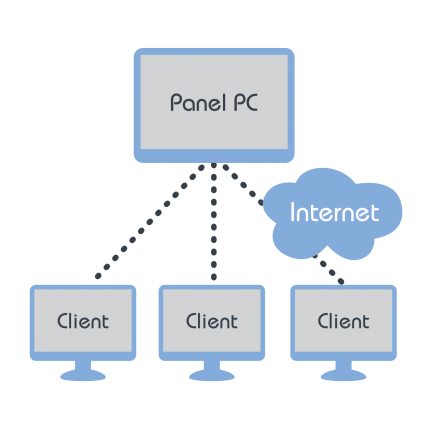
TCP/IP sockets and Ethernet support guarantee a high level of connectivity between the eScada server component and several other eScada client components.
It is not necessary to distribute anything to the clients: they receive the whole configuration from the server, so every change made to the project reaches all the connected clients immediately, with no installation and no alignment procedures.
From everywhere in your company, or from a remote site using VPN, you can operate with your equipment as you were in front of it.
Native rendering, native performance
The eScada client draws the HMI pages natively, using the graphical interface of the platform it runs on. Pages are rendered as real native controls: the result is a fast and fluid interface, with low latency and a small memory footprint, that performs well even on compact hardware such as panel PCs.
Since the rendering engine is the eScada client itself, pages look and behave exactly the same on every supported platform. The behaviour of the interface does not depend on third party software installed on the machine, nor on its updates: what you design is what every operator gets.
Efficient by design
The configuration is transferred once, when the client connects. From that moment on, the only data travelling between server and clients are tag values: the server evaluates, for each tag, which items have changed and sends only those, while the client sends a value only when the operator modifies a tag through the interface.
No polling, no page reloads, no graphical resources on the wire: the traffic is reduced to the essential, in both directions. This keeps the interface responsive on the local network as well as through a VPN connection to a remote site, even when the bandwidth is limited.
Connections are dedicated eScada sessions inside your company network or through VPN: nothing has to be published towards the outside to let operators and maintenance staff reach the equipment.